
Herden
100% self-hostedView on GitHub

100% self-hosted · Open source

Leave the desk.
Keep the session.

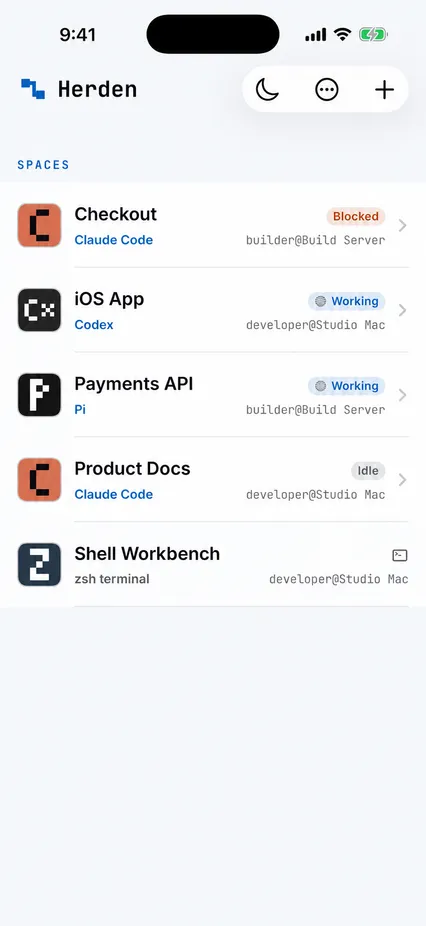
Run Claude Code, Codex and other coding agents on machines you control. Herden puts their live sessions on your iPhone—without a Herden account or hosted application backend.

Apache-2.0 · Read every line on GitHub

Away from the keyboard

Keep the work moving.

See what needs you, answer it and send the missing context.

SESSIONS

Leave the desk

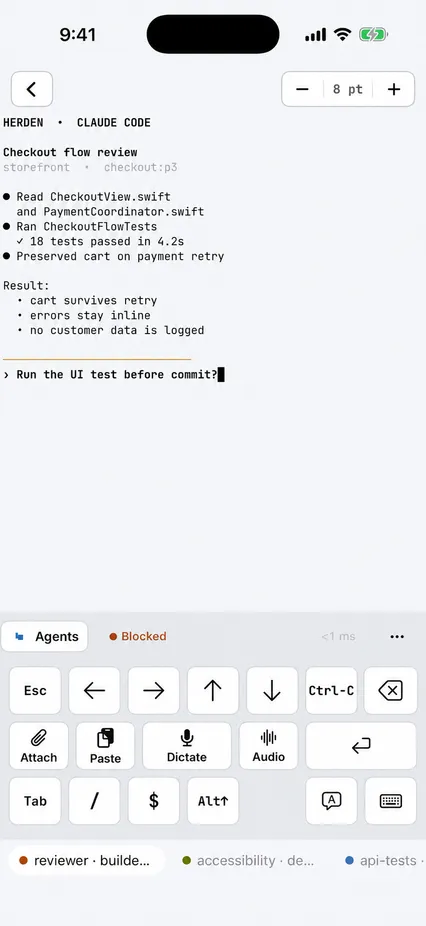
Your Agent keeps running. Open its real terminal from your iPhone when it needs you.

VOICE

Dictate instructions

Speak your next instruction, review it and send it. Transcription stays on your iPhone.

FILES

Share the evidence

Send screenshots, photos and documents from Herden or the iOS share sheet.

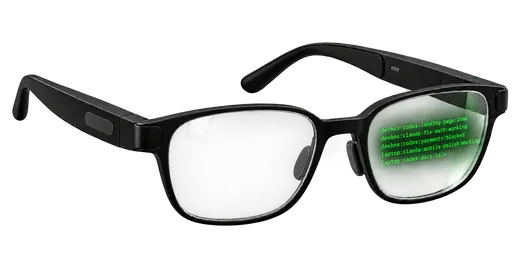
AR · PREVIEW

Glance at your Agents

Compatible AR glasses can show Agent status and recent output in a read-only HUD.

Install once · Scan once

Tailscale first.
Then Herden.

Give your iPhone a private route to the machine running your agents. Do not expose SSH to the public internet.

  1. 1

    Connect privately

    Confirm both devices can reach each other through Tailscale. Already run Headscale? That works too.

  2. 2

    Install the Host

    Run this on the Linux or macOS machine that runs your agents.

    curl -fsSL https://herden.app/install.sh | sh

    Open a new Terminal afterwards, or run exec "$SHELL" -l.

  3. 3

    Scan the QR code

    Run herden pair, then open Herden → Hosts → Add Host on your iPhone and scan.

No Herden cloud

Your agents. Your machines. Your source.

Herden is open source under Apache-2.0. Prompts, terminal output and shared files travel directly between your devices.

Built on herdr andHeeler.Attribution and licences.